 Skip to navigation
Skip to main content
Skip to navigation
Skip to main content 


How to Activate Windows 10/11 Pro – Complete Guide
Thank you for purchasing Windows from Digital Ms Deals! Below are the two ways to activate your license: first try activating with your Product Key; if that doesn't work, use Phone Activation with our GET CID tool.
Method 1 – Activate with your Product Key
- Open Settings.
- Go to:
• Windows 11: System → Activation
• Windows 10: Update & Security → Activation - Find Change product key and click Change.
- Enter your 25-character product key.
- Click Next.
- Click Activate.
- Once completed, Windows should display Windows is activated.
If you get an error (for example 0xC004C008 or 0xC004C003, “product key has already been used on another device”), don't worry: continue with Method 2.
Method 2 – Phone Activation (GET CID)
- Go to Settings → System → Activation.
- Under the activation options, select Activate by phone or Automated Guide, as shown in the images below.
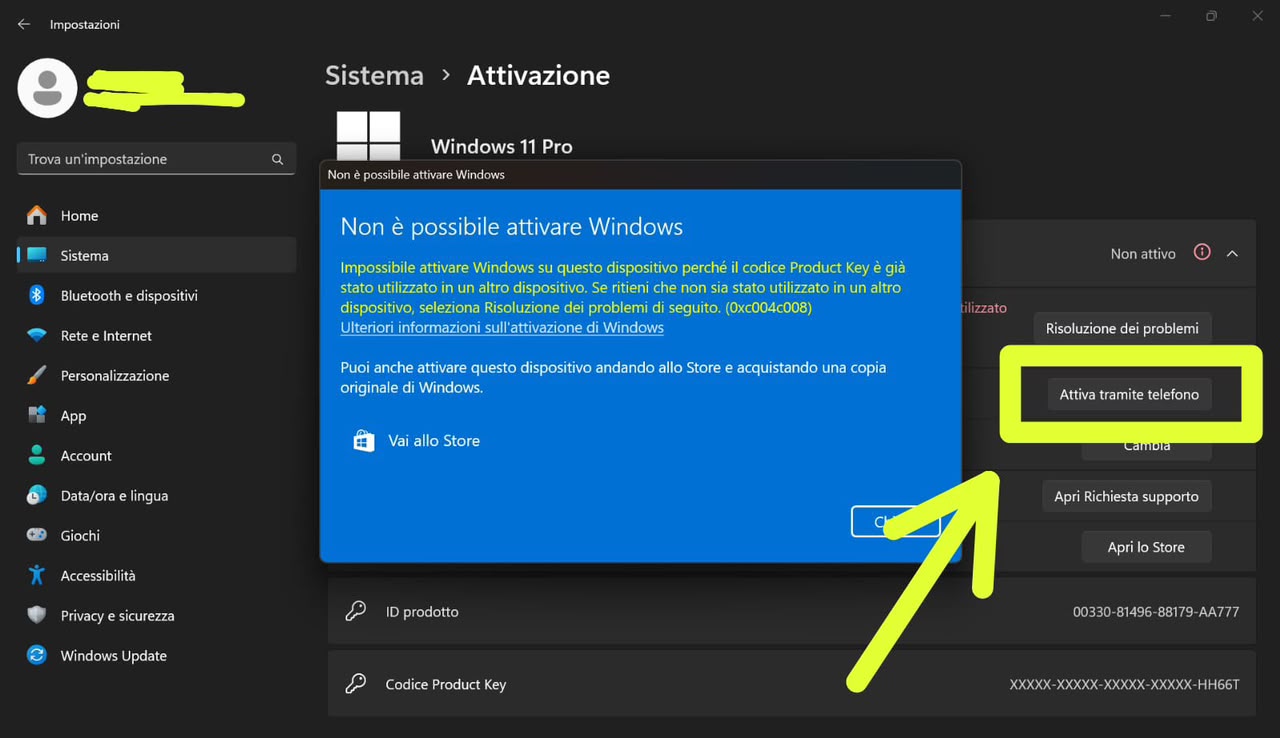
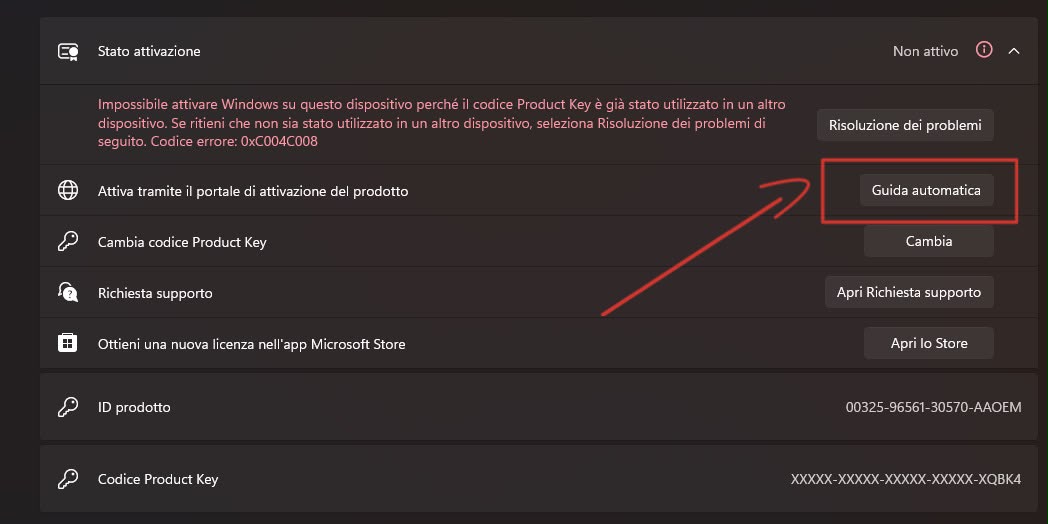
- When prompted to select your country or region, choose Italy.
- Windows will display an Installation ID. Keep this window open.
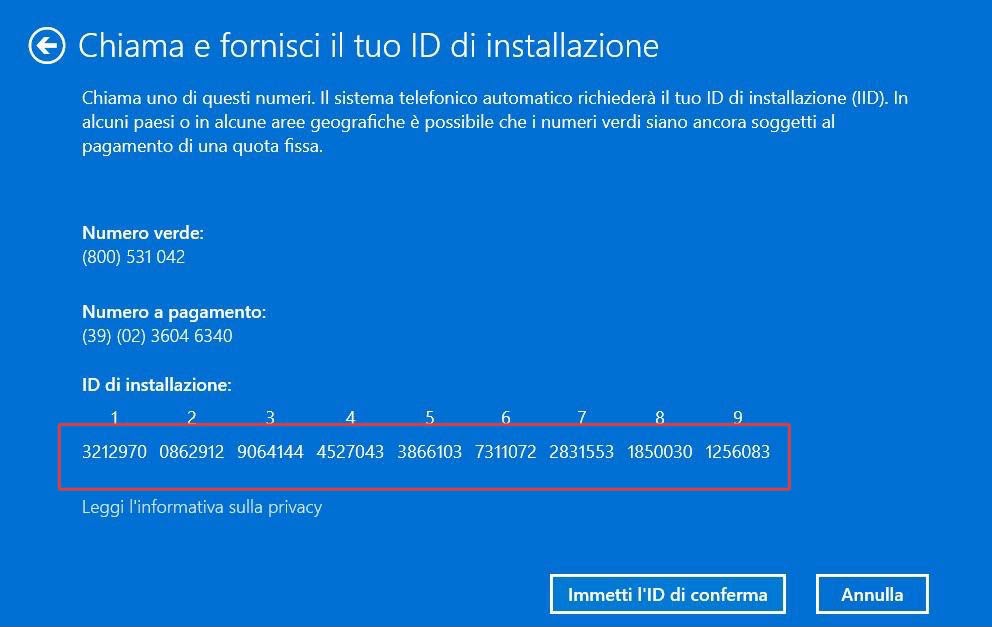
- Open the following page: https://digitalmsdeals.com/en/get-cid-microsoft-phone-activation/
- Enter the email address used for your purchase and the Installation ID displayed by Windows.
- You will receive your Confirmation ID (CID).
- Return to the Windows activation window and enter the Confirmation ID in the corresponding fields.
- Click Activate Windows to complete the activation.
- Once activation is successful, restart your computer.
After restarting, you can verify the activation status under Settings → System → Activation.
Need help?
If you need assistance, email us at [email protected] for quick support or remote assistance.
Thank you for choosing Digital Ms Deals!