


Häufige Aktivierungsfehler bei Windows und Office und wie du sie behebst
Die häufigsten Fehlercodes bei der Windows-Aktivierung und Meldungen von Office: was sie bedeuten und wie du sie behebst, einer nach dem anderen.
Lesen

(Applies to: Windows 11 Home, Windows 11 Home Single Language)
Step 1: You open cmd (run as administrator)
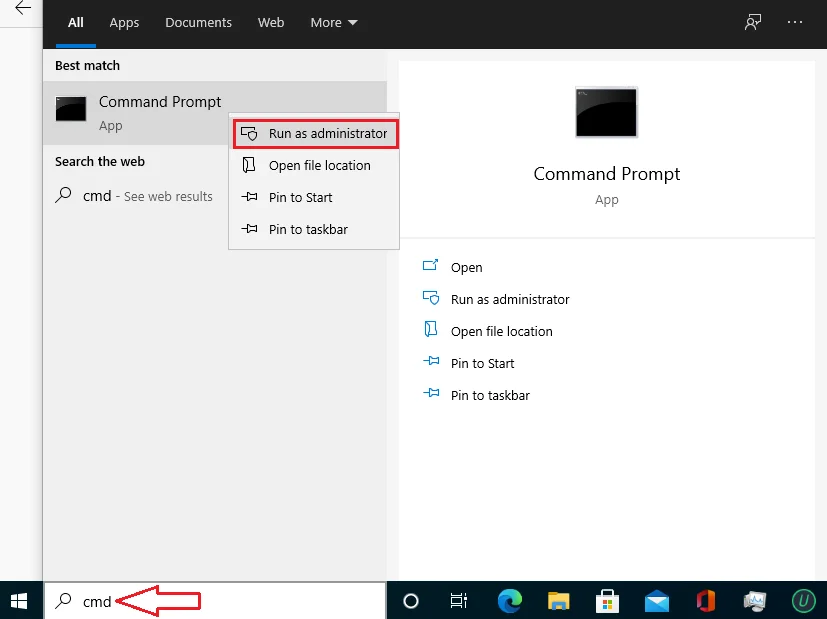
Step 2: You copy and paste one by one these codes in cmd
slmgr.vbs /upk
slmgr.vbs /ckms
Step 3: Then you copy and paste this code
DISM /online /Get-TargetEditions
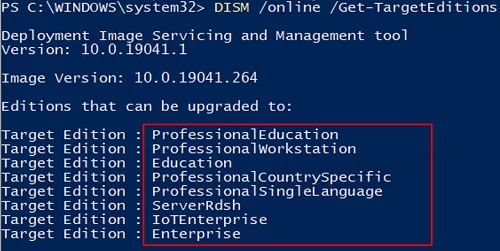
If you see Target edition: Professional, your Windows 11 Home can upgrade to Windows 11 Pro.
Step 4: You type these codes in cmd
sc config LicenseManager start= auto & net start LicenseManager
sc config wuauserv start= auto & net start wuauserv
changepk.exe /productkey VK7JG-NPHTM-C97JM-9MPGT-3V66T
exit
Then you enter and wait for a moment.
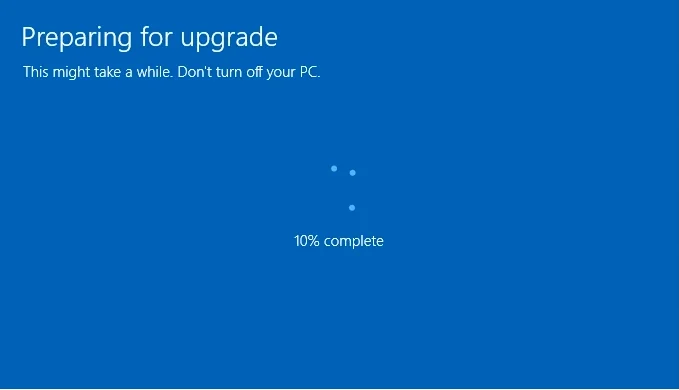
Note: If you use Windows 11 version 20H2, 21H1, you will see error0x80070005. You restart Windows 11 to complete upgradation.
operating system: Windows 11 – Windows 10 – Windows 8 – Windows 7
Microsoft Office: Office 2021 – Office 2019 – Office 2016 – OFFICE 2019 HOME & BUSINESS MAC – Office Home & Business 2016 – VISIO PROFESSIONAL 2021 – PROJECT PROFESSIONAL 2021
Antivirus: Malwarebytes Premium – ESET Internet Security 2023– Kaspersky Total Security 2023
Microsoft Server: Windows Server – WINDOWS SERVER 2022 STANDARD – WINDOWS SERVER 2022 DATACENTER – WINDOWS SERVER 2019 STANDARD –WINDOWS SERVER 2019 DATACENTER
Die häufigsten Fehlercodes bei der Windows-Aktivierung und Meldungen von Office: was sie bedeuten und wie du sie behebst, einer nach dem anderen.
Windows 10 hat kein Support mehr und ESU läuft bis 12. Oktober 2027: Anforderungen von Windows 11, Upgrade Schritt für Schritt und was tun, wenn der PC nicht kompatibel ist.
Was Windows 11 Pro mehr kann als Home, wer es wirklich braucht und wie du ohne Neuinstallation von Home auf Pro wechselst.

